Child Orthodontic Progress Tracking: A Parent’s Guide
July 27, 2026
Child Orthodontic Progress Tracking: A Parent’s Guide
TL;DR:
- Remote orthodontic monitoring with weekly scans reduces in-office visits and speeds up treatment refinement. It complements in-person care by flagging issues like loose brackets or unseated trays for immediate review. Effective scans and prompt communication are essential for maximizing the benefits of remote monitoring.
The most effective way to monitor your child’s orthodontic progress is a combination of weekly remote scans (using a phone or a ScanBox device) plus in-office visits every 4–8 weeks, with every flagged scan reviewed by your orthodontist. AI tools like Dental Monitoring analyze photos between appointments, but the orthodontist makes every clinical call. Here is what to do starting today:
- Scan weekly using your practice’s remote monitoring app (Dental Monitoring is the most widely used platform) or take standardized photos with your phone.
- Watch tray fit and bracket integrity. For Invisalign users, check that compliance dots are fading evenly. For braces, look for loose or broken brackets after every meal.
- Know the three red flags that require a call today: a loose or broken bracket, a tray that will not seat fully, or any swelling around the gums or jaw.
Remote monitoring reduced in-person visits by a mean of 2.75 fewer appointments per patient in controlled studies, and one study reported 3.5 fewer visits for aligner patients specifically. That is a real clinical benefit, not a marketing claim.
Table of Contents
- What remote orthodontic monitoring actually means for your family
- How remote monitoring works, step by step
- What happens at in-office visits that remote scans cannot replicate
- When you should actually see visible progress
- Red flags that mean you should call the orthodontist today
- A repeatable system for taking usable progress photos at home
- What the research actually says about AI monitoring: benefits and limits
- Costs, insurance, and the questions worth asking your practice
- Key Takeaways
- Why remote monitoring changes the experience for families
- Gloworthodontics makes remote progress monitoring part of your child’s care
- Useful sources and further reading
What remote orthodontic monitoring actually means for your family
Remote monitoring is not a replacement for your orthodontist. Think of it as a structured check-in system that happens between office visits. Your child takes a short scan or photo series at home, uploads it through an app, and an AI algorithm reviews the images for tooth movement, tray fit, hygiene issues, and hardware problems. The algorithm flags anything outside expected parameters, and then a licensed orthodontist reviews those flags before any action is taken.
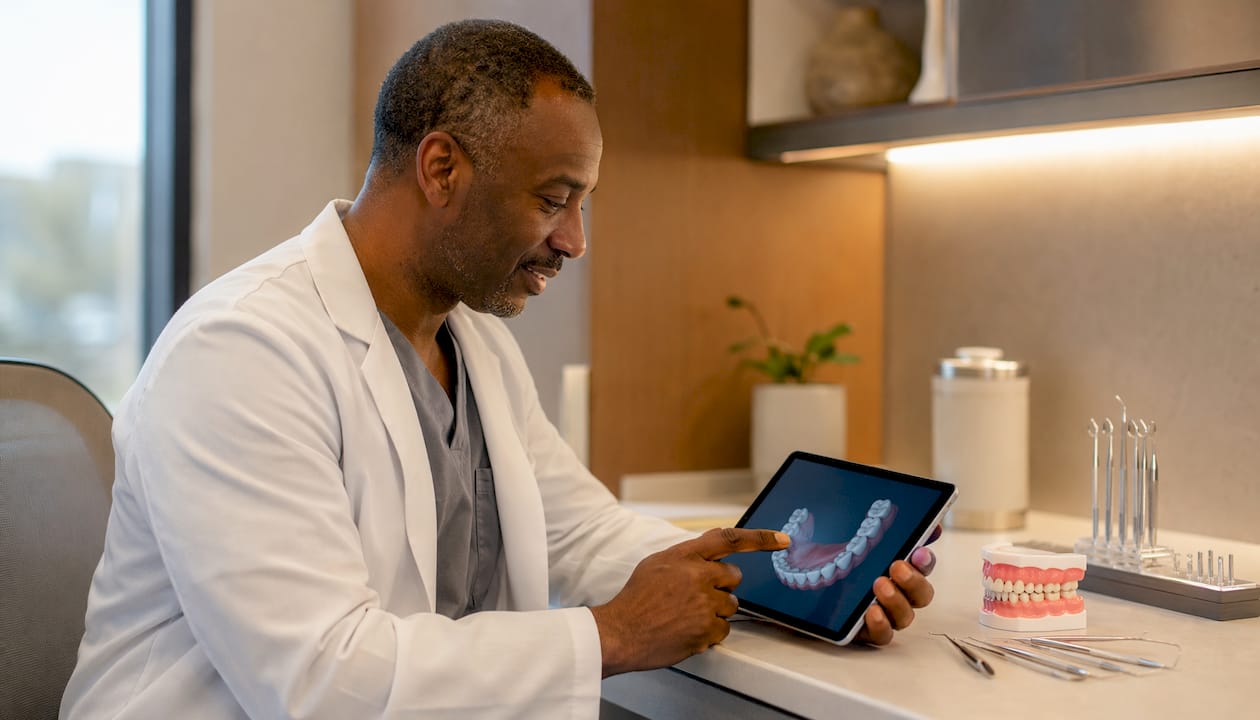
The workflow looks like this: phone or ScanBox captures images → app uploads them securely → AI analyzes fit, movement, and hygiene → orthodontist reviews flagged cases → your family gets a message with next steps or a scheduled visit. What remote monitoring cannot do is assess bite relationships in three dimensions, check appliance torque, or evaluate bone changes. Those require hands-on appointments. It complements in-office care; it does not shrink it to zero.
How remote monitoring works, step by step
The scan itself takes about five minutes once your child is comfortable with the process. Here is the repeatable sequence:
- Prepare the space. Use a well-lit room, ideally near a window with natural light. Avoid dim bathrooms where shadows distort tooth color and position.
- Position your child. Have them sit upright with their head level. A slight chin-down tilt usually gives the clearest front view.
- Insert cheek retractors. Most practices supply these. They hold the lips and cheeks away from the teeth so the camera captures the full arch without obstruction.
- Attach the ScanBox (if provided). The ScanBox clips onto the phone and standardizes the focal length and angle, which is the single biggest factor in scan-to-scan consistency.
- Capture all required views. Typically: front, left side, right side, upper occlusal (top), and lower occlusal (bottom). Follow the in-app prompts exactly.
- Submit the scan. The app uploads the images and the AI begins analysis within minutes.
- Wait for the orthodontist’s review. You will receive a message within 24–48 hours in most practices, either confirming everything looks on track or requesting an office visit.
Pro Tip: Set a recurring phone reminder for the same day and time each week. Consistency in timing makes it easier to spot gradual changes across scans, and it reduces the chance your child skips a submission.
The AI analyzes each scan against a predicted tooth-movement model. It flags deviations in aligner seating, unexpected gaps, hygiene buildup, and bracket damage. For aligner cases, telemonitored patients reached their first refinement about 1.7 months earlier than patients on standard in-office schedules alone.
| Metric | Remote monitoring group | Standard in-office group |
|---|---|---|
| Mean reduction in visits | 2.75 fewer appointments | Baseline |
| Time to first refinement | 1.7 months faster | Baseline |
| Emergency visit frequency | Reduced (clinician reports) | Higher |
| Scan frequency | Weekly (or as advised) | Every 4–8 weeks |
Visual feedback and gamified progress tracking in apps also help kids stay motivated about wearing aligners and elastics, which directly affects treatment speed.
What happens at in-office visits that remote scans cannot replicate
In-office appointments are where the orthodontist does the things a camera simply cannot. During a typical visit, the clinical team performs a full exam of the bite, checks wire tension and bracket position, evaluates how the teeth are moving in three dimensions, and takes digital scans or X-rays when needed. These are not formalities.
- Intraoral scanner or digital model: Creates a precise 3D record of tooth positions to compare against previous scans and the treatment plan.
- Radiographs: Taken periodically to check root length, bone levels, and whether root resorption is occurring.
- Wire and bracket adjustments: Archwires are tightened or replaced; elastics are changed; attachments are checked for wear.
- Occlusal assessment: The orthodontist checks how upper and lower teeth meet, something no phone photo can capture accurately.
For braces patients, in-office visits typically happen every 4–6 weeks. For aligner patients using remote monitoring, that interval can extend to 6–10 weeks because weekly scans fill the gap between visits.
| What is checked | Remote scan | In-office visit |
|---|---|---|
| Aligner/tray fit | ✓ (AI + orthodontist) | ✓ (clinical) |
| Tooth movement trend | ✓ (AI flags deviations) | ✓ (3D model comparison) |
| Hygiene issues | ✓ (photo review) | ✓ (full exam) |
| Bracket/wire integrity | Partial (visible damage only) | ✓ (full hardware check) |
| Bite/occlusion | ✗ | ✓ |
| Root and bone health | ✗ | ✓ (X-ray when indicated) |
| Appliance torque | ✗ | ✓ |
Remote monitoring does not replace critical in-person assessments, particularly for complex mechanics or growth-phase cases. The two systems work together.
When you should actually see visible progress
Parents often expect dramatic changes in the first few weeks. The reality is more gradual, and the timeline differs between braces and aligners.

Weeks 1–4: Mild soreness signals that teeth are beginning to move. Visible changes are minimal at this stage, especially for rotations and root movements. This is normal.
Weeks 4–6: Small gaps may begin to close, and front-to-front alignment shifts become noticeable for some cases. Crowding often looks slightly worse before it looks better as teeth are repositioned.
Month 3: Measurable movement is typically visible in photos compared to the start. This is a good point to compare your earliest scan against a current one.
Months 6–12: Larger-stage changes become apparent, including arch expansion, significant gap closure, and midline correction. The pace depends heavily on case complexity, patient age, and compliance.
Clear aligners tend to show smoother, more incremental changes because each tray moves teeth by a fraction of a millimeter. Braces can produce more visible jumps between adjustment appointments. Rotations and root movements take longer to show than simple front-to-front shifts because they require more complex biomechanics. If your child’s case involves significant rotation, do not expect to see that resolved in the first few months.
One practical benchmark: if you cannot see any change in your child’s scan photos after three months of consistent wear, that is worth raising at the next appointment, not as an alarm, but as a conversation starter.
Red flags that mean you should call the orthodontist today
Most issues in orthodontic treatment are minor and can wait for the next scheduled scan or visit. A few cannot.
Call or message the practice immediately if you see:
- A bracket that is loose, broken, or has come off the tooth entirely
- A wire that is poking the cheek or has slipped out of a bracket
- An aligner tray that will not seat fully despite your child biting down on chewies for several minutes
- Swelling, redness, or pain in the gums or jaw that is not explained by a recent adjustment
- A gap between the aligner and the teeth that is larger than 1–2 mm and is not resolving
- Repeated “unusable scan” messages from the monitoring app (this usually means the scan technique needs correction, but it can also mean the app is detecting something worth checking)
If your child has facial swelling, difficulty swallowing, or pain that is not controlled by over-the-counter medication, treat it as a dental emergency and seek same-day care. Do not wait for the next scheduled scan review.
For Invisalign patients, the compliance dot system is a quick daily check: the blue dots on each tray should fade with wear. If the dots on a tray are still vivid after several days, your child is not wearing it enough. That is not an emergency, but it will slow treatment and should be logged.
For urgent situations, Gloworthodontics’s orthodontic emergencies guide walks through exactly what to do for broken brackets, poking wires, and other common urgent issues.
A repeatable system for taking usable progress photos at home
Scan quality determines whether the AI and orthodontist can actually use your submissions. Studies have shown that inexperienced records reduce reliability and can generate false flags that create more work for the clinical team, not less.
Before you scan:
- Charge your phone fully. A dying phone mid-scan means retakes.
- Use the same room and light source every week. Consistency matters more than perfection.
- Have your child brush and rinse first. Hygiene issues are easier to spot on clean teeth, and it is a good habit regardless.
During the scan:
- Insert cheek retractors (supplied by your practice or available at most pharmacies).
- Attach the ScanBox to your phone if your practice uses one.
- Capture front view, left lateral, right lateral, upper occlusal, lower occlusal. Five views minimum.
- Use a small dental mirror for occlusal views if your child cannot open wide enough for a direct shot.
- Keep the phone steady. Blurry images are the most common reason scans get rejected.
After the scan:
- Label the file with the date and tray number (for aligner patients) before uploading.
- Add a short note in the app or in a separate log: hours worn that day, any discomfort, and whether the tray seated fully.
A simple retainer fit check at home follows the same logic: consistent technique, same lighting, same angle. The more standardized your process, the more useful the data.
Sample message to send your orthodontist when something looks off:
“Hi, this is [child’s name]’s parent. During today’s scan (Tray 14, submitted [date]), the right side of the upper tray looks like it is not seating fully. I have attached the scan. Should we come in, or should I submit another scan in a few days?”
Short, specific, and gives the clinical team exactly what they need to triage.
What the research actually says about AI monitoring: benefits and limits
The evidence for remote monitoring is real, but it is not uniform across all treatment types. The strongest data comes from aligner cases. A systematic review and meta-analysis found that teledentistry using Dental Monitoring reduced face-to-face appointments and shortened time to first refinement for aligner patients. Evidence for conventional fixed-appliance (braces) cases is more limited and needs more randomized trials before strong conclusions can be drawn.
Orthodontists who adopted remote monitoring during the COVID-19 pandemic largely plan to keep it permanently, and many believe most patients’ progress can be monitored to the standard of care between in-person visits. That is a meaningful signal about where the profession is heading.
| Evidence area | Strength of evidence | Key finding |
|---|---|---|
| Aligner cases (remote monitoring) | Moderate-strong | Fewer visits, faster refinement |
| Fixed braces (remote monitoring) | Limited | More randomized studies needed |
| Patient compliance and motivation | Moderate | Visual feedback improves adherence |
| Emergency visit reduction | Moderate (clinician reports) | Fewer unplanned visits reported |
| AI accuracy for small movements | Moderate | Flags deviations; orthodontist confirms |
Pro Tip: Ask your orthodontist which treatment type your child’s case falls under before assuming remote monitoring will reduce visits. For complex braces cases, in-office frequency may stay the same even with remote monitoring in place.
Where AI should not be trusted alone: surgical cases, growth-modification phases (palate expanders, headgear), and any case where the orthodontist has flagged a complication. These require hands-on assessment that no algorithm can replicate. The AI functions as a triage assistant, not an autonomous clinician.
Costs, insurance, and the questions worth asking your practice
Remote monitoring is not always a separate line item. Many practices bundle it into the overall treatment fee, particularly for aligner cases where the platform is part of the standard workflow. Others charge a monthly subscription or a per-scan fee. You will not know until you ask.
Questions to ask your orthodontist’s office:
- Is remote monitoring included in our treatment contract, or is it billed separately?
- What is the billing code for remote monitoring services? (This helps when submitting to insurance.)
- Does our dental plan cover remote monitoring as part of orthodontic treatment, or is it classified separately?
- What device do we need, and is the ScanBox provided or do we purchase it?
- What happens to our scan data, and how is it stored and protected?
Questions to ask your insurance provider:
- Does our plan cover orthodontic remote monitoring, and under what billing code?
- Is remote monitoring considered part of the orthodontic treatment benefit or a separate telehealth benefit?
- Do we need a referral or pre-authorization for remote monitoring services?
- Is there a lifetime maximum that applies, and has any of it been used?
Many dental plans treat monitoring as part of the orthodontic treatment benefit rather than a standalone telehealth service, which means it may fall under your existing orthodontic maximum. For aligner-specific insurance questions, it is worth getting the billing code from your practice before calling the insurer so both parties are speaking the same language.
Privacy is worth asking about too. Reputable platforms encrypt all images and restrict access to the clinical team. Ask specifically: who can see my child’s scans, how long are they stored, and can we request deletion?
Key Takeaways
AI-backed remote monitoring, combined with regular in-office visits and consistent weekly scans, gives parents the clearest and most clinically useful picture of their child’s orthodontic progress.
| Point | Details |
|---|---|
| Scan weekly, visit every 4–8 weeks | Weekly remote scans fill the gap between appointments and catch issues before they delay treatment. |
| AI flags; orthodontists decide | Every flagged scan is reviewed by a licensed orthodontist before any action is taken. |
| Strongest evidence is for aligners | Aligner patients using remote monitoring averaged 2.75 fewer in-person visits in controlled studies. |
| Three red flags require same-day contact | Loose bracket, unseated tray, or facial swelling always warrant an immediate call to the practice. |
| Gloworthodontics supports remote monitoring | Gloworthodontics offers families remote monitoring support alongside in-office care for a complete tracking approach. |
Why remote monitoring changes the experience for families
The conventional wisdom about orthodontic monitoring is that more office visits equal better care. That framing made sense when the only way to check progress was a face-to-face appointment. It is not the full picture anymore.
What remote monitoring actually does is shift the orthodontist’s attention to the right moments. Instead of a routine check where nothing has changed, the clinical team sees a flagged scan and knows exactly what to look at before the patient walks in. That changes the quality of the appointment, not just the frequency. A visit prompted by a real flag is more productive than a scheduled check where the orthodontist is starting from scratch.
The behavioral side matters too. Kids who can see their own tooth movement in weekly scan comparisons tend to wear their aligners more consistently. That is not a soft benefit. Wear time is the single biggest variable in aligner treatment speed, and anything that keeps a child engaged with their own progress has a direct clinical effect. Platforms that use visual milestones and progress tracking tap into that motivation in a way that a six-week appointment cycle simply cannot.
The limit worth keeping honest: remote monitoring is only as good as the scans going in. A blurry photo or a missed view does not just fail to help — it can generate a false flag that wastes the orthodontist’s time and creates unnecessary anxiety for parents. The technique section in this article exists for that reason. Good scans are a skill, and it takes a few weeks to get consistent.
Gloworthodontics makes remote progress monitoring part of your child’s care
Families who want consistent, clinically reviewed tracking between appointments will find that Gloworthodontics builds remote monitoring directly into the treatment experience. Rather than waiting six weeks to find out whether a tray is seating correctly or a bracket has shifted, parents get structured weekly check-ins with orthodontist-reviewed results.

The process is straightforward: your practice team walks you through the scan setup at your first appointment, and from there, weekly submissions take about five minutes. Every flagged result is reviewed by an orthodontist before you hear anything, so you are never interpreting AI output alone. For families considering aligner treatment, the Invisalign treatment process page explains how monitoring integrates from the first tray onward. To ask about remote monitoring options for your child’s specific case, or to book a consultation, visit Gloworthodontics and reach out to the team directly.
Useful sources and further reading
The sources below are the primary references used in this article. Each is worth reading if you want more depth on a specific topic.
-
Is teledentistry effective to monitor the evolution of orthodontic treatment? A systematic review and meta-analysis — The strongest available evidence on remote monitoring outcomes. Shows reduced visits and faster refinement for aligner cases; notes limited evidence for fixed braces. Essential reading for parents who want the clinical data.
-
Orthodontists’ use of remote monitoring platforms pre-, amid, and post-COVID-19: a survey study — Documents how adoption grew during the pandemic and why most orthodontists plan to keep remote monitoring permanently. Useful for understanding where the profession stands.
-
AI-backed orthodontic monitoring overview and clinician perspective — Explains the triage role of AI clearly: algorithms flag, orthodontists decide. Good for parents who want to understand what the AI is and is not doing.
-
Frontiers: AI-driven dynamic orthodontic treatment management — A 2025 narrative review covering AI applications in personalized progress tracking, real-time decision support, and risk prediction. More technical, but the sections on remote monitoring and patient compliance are accessible.
-
Dental Monitoring and in-office care: clinical guidance — Practical clinician notes on where remote monitoring fits and where in-office care remains non-negotiable.
-
Invisalign for children: clinician notes on compliance features — Covers the compliance dot system and how parents can use it as a daily wear-time check.
-
Retainer fit check at home: your 2026 guide — Practical guidance on checking appliance fit at home, directly applicable to the scan and photo techniques described in this article.
-
Helping your child prepare for their first orthodontic appointment — Clear explanation of braces appointment frequency (every 4–6 weeks) and what parents should expect at each visit.